File 1099 & W2 Corrections Online

Save Time. Skip the Forms. File Online!

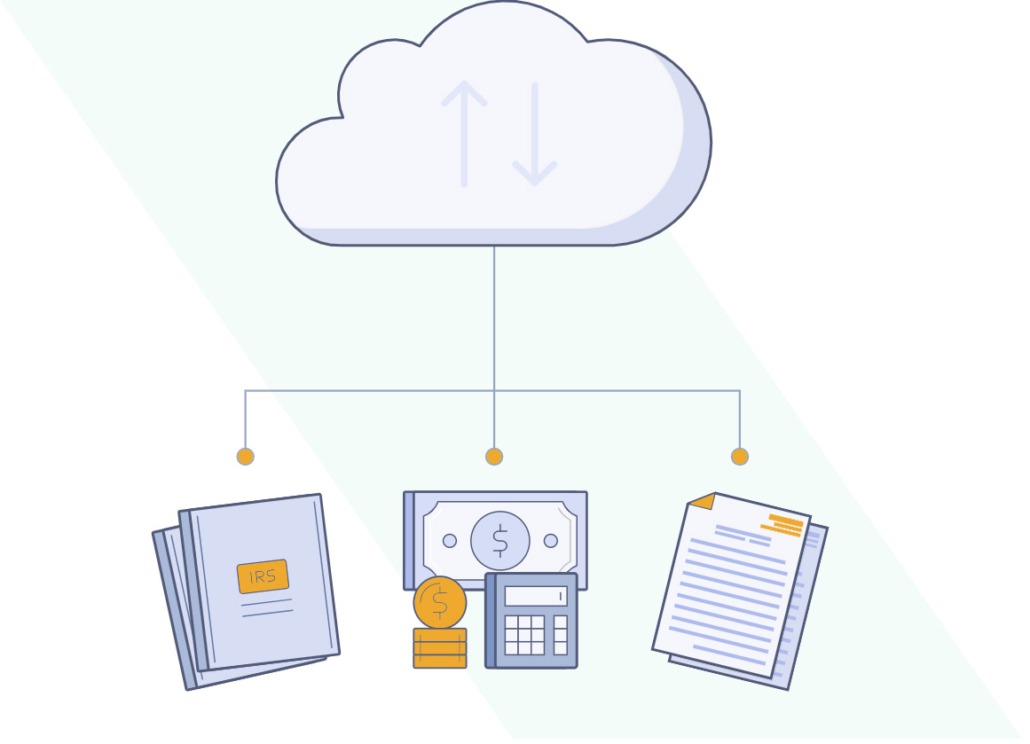
You enter W2C or 1099 correction data, and we do the rest…

We efile correction forms with the IRS or SSA and can even mail recipient copies.

Skip the forms and file W2C and 1099 corrections quickly and securely online.

Join the smart filing revolution today!

File 1099 & W2 Corrections Online

Save Time. Skip the Forms. File Online!

You enter W2C or 1099 correction data, and we do the rest…

We efile correction forms with the IRS or SSA and can even mail recipient copies.

Skip the forms and file W2C and 1099 corrections quickly and securely online.

Join the smart filing revolution today!

File Corrected W2C and 1099 Forms Online All Year Long!

Simple, secure online filing makes it a breeze to efile, plus print and mail both W2C and 1099 corrections.

Whether you filed the original forms with us, or somewhere else, use Discount Efile to get them done fast and hassle-free!

Choose e-filing only or print and mail recipient copies too.

Correction Forms Available for Online Filing

$7.95 per form

We can even file corrections for prior year forms, even if you used a different system!

Down-open-big Down-open-big
  • W-2C

  • 1099-NEC

  • 1099-MISC

  • 1099-DIV

  • 1099-INT

  • 1099-R

  • 1099-B

  • 1099-C

  • 1099-G

  • 1099-K

  • 1099-S

  • 1098

  • 1098-T

  • 5498

  • 5498-QA

  • 5498-SA

  • 1094-C

  • 1095-B

  • 1095-C

How W2C & 1099 Corrections Filing Works

with Discount Efile4Biz

Step 1: Enter Your Data

Fill out your form just as you filled out your original form!

Make sure all identifying information is entered exactly the same as it was on your original. Just make the change to the amount, SSN or name field(s) you entered incorrectly on your original.

Options for Data Entry:

  • Use the QuickBooks or Xero Import  for vendor payments and payroll.
  • Upload an Excel or CSV file with your data (a template is provided).
  • Manually enter data if you have just a few filings to complete.

Refer to the Knowledgebase for additional information and details.

How to enter 1099 & W2 data into the Discount Efile system - DiscountEfile.com

Step 2: Add to Cart and Submit Forms

You control which forms to submit and when.

Don’t worry if you don’t have information ready for all of your recipients. Just complete what you can and allow forms to accumulate in ‘Unfiled Forms’ until you’re ready.

Submitting forms is flexible too! Submit in batches by payer or form type, or any way that’s convenient.

Once you decide to check out, it works just like any shopping website. Add or remove forms from the cart as needed.

You pay only when you submit correction forms for filing. Corrections forms are filed for $7.95 each. Setting up an account and entering data is FREE!

How to Efile 1099 and W2 Forms Online with Discount Efile4Biz - DiscountEfile.com

WE DO THE REST!!

Step 3: Efile Forms with the IRS or SSA

We electronically file forms with the IRS or SSA on a regular basis.

You will receive an email notification when your filings have been accepted.

You can file corrections any time during the year, and we file prior year corrections too!

Easy 1099 and W2 Online E-Filing Services for IRS and SSA Filing of Copy A Forms - DiscountEfile.com

Step 4: Recipient Copy Delivery

We can either print and mail, or electronically deliver your recipient copies if you select the Delivery option during the checkout process.

Recipient copies are mailed via U.S. Postal Service.

PDF versions of the recipient forms and payer copies are always available online for you to download.

How to use 1099 & W2 Recipient Print and Mail Services - DiscountEfile.com

Step 5: Communicate the Process

We send you email notifications for:

  • Account set up confirmation
  • Payment acceptance
  • IRS / SSA filing acceptance, and errors
  • Mail date of recipient copies

Recipients are also notified when filing occurs and when the IRS and/or SSA accepts if an email address was provided.

1099 and W2 Online Efiling Confirmations - DiscountEfile.com
Safe and secure online filing of 1099 and W2 forms for the IRS and recipients - DiscountEfile.com

Incredibly Safe and Secure

  • IRS-Authorized 1099 & W2 filing provider.
  • Full data encryption through the entire process.
  • Encrypted data is transmitted directly to a high-security print and mail facility that is certified by the American Institute of Certified Public Accountants (AICPA) to be SOC-compliant. It has been audited by experts to ensure best practices in data encryption and business processes designed to protect recipients’ Social Security Numbers, Tax ID Numbers and other sensitive information.
  • Credit card information is equally safe thanks to this special certification.

FAQ

Get answers to frequently asked questions about filing W2C and 1099 corrections with Discount Efile.

If you discover an error on a form after submitting it via Discount Efile, there are 2 different scenarios for making corrections:

Scenario 1: You discover the error after we have e-filed the form AND it is:

  • A “Type 1” error (dollar amount) on a W-2, 1099-MISC, 1099-NEC, 1099-B, 1099-C, 1099-DIV, 1099-INT, 1099-K, 1099-R, 1099-S, 1098, or 1098-T form.
  • Any error on a 1094-C, 1095-B or 1095-C (ACA) form.

In this case, you can file a correction by following these steps:

  1. Log in and click on “Filed Forms” in the Dashboard. This will bring you to the “Filed Forms” page.
  2. Find the form and click on the “File Correction” link to the far right. (Please note: If the link does not show,” you will need to wait until the form is accepted by the IRS.)
  3. Make the correction.
  4. Resubmit the form with payment.

We will e-file the correction with the IRS and also print and mail a corrected form to your recipient.

Scenario 2: You discover the error after we have e-filed the form but it does not meet the criteria under Scenario 2.

In this case, you will need to contact the IRS at (866) 455-7438 or go to www.irs.gov for more information on how to file a correction directly with the IRS.

Create an account (for free) or login to your existing account. Create the necessary Payers and Payees.

Select Correction forms from the dropdown list on Start Filing page.

Complete the form(s) and submit.

You can only file for state information if you meet the following two rules:

1.  You must file a correction for federal data as well, you cannot file a correction for state information only

2. The state you are filing a correction for must participate in the 1099 Combined Federal State Filing Program (CFSFP).  These are the states that participate:

Alabama, Arizona, Arkansas, California, Colorado, Connecticut, Delaware, Georgia, Hawaii, Idaho, Indiana, Kansas, Louisiana, Maine, Maryland, Massachusetts, Michigan,  Minnesota, Mississippi, Missouri, Montana, Nebraska, New Jersey, New Mexico, North Carolina, North Dakota, Ohio, Oklahoma, South Carolina, and Wisconsin

Note:  By participating in the Combined Federal State Filing Program, we do not file directly to the states and although the IRS makes the state information available for those states that participate, it is your sole responsibility to make sure the states receive the appropriate information.


If a payer discovers an error in reporting the payer (not recipient) name and/or TIN, write a letter containing the following information.

(Forms 1096, 1097, 1098, 1099, 3921, 3922, 5498, and W-2G)

1. Name and address of the payer.
2. Type of error (including the incorrect payer
name/TIN that was reported).
3. Tax year.
4. Payer TIN.
5. Transmitter Control Code (TCC). The IRS can use the receipt id instead of the TCC. In filed forms, the receipt id will show in the Federal column under the date.
6. Type of return.
7. Number of payees.
8. Filing method (paper or electronic).
9. Was federal income tax withheld?

Send the letter to:
Internal Revenue Service
Information Returns Branch
230 Murall Drive, Mail Stop 4360
Kearneysville, WV 25430

If a payer realizes duplicate reporting or a large percentage of incorrect information has been filed, contact the information reporting customer service site at 866-455-7438 for further instructions.

When filing a W-2 Correction Form you must fill out the form with the original amounts submitted on the W-2 Form along with the corrected amounts for only the amount fields that you are correcting.

Get Started

Down-open-big Down-open-big

No credit card is required to sign up —
you pay nothing until forms are submitted.

Start by setting up payer and recipient data with an easy import from accounting software or a spreadsheet, or by typing it into the system.

When your forms are ready, submit them with your payment and you’re done! We’ll efile Copy A forms and can even print and mail recipient copies.

DiscountEfile for 1099 and W2 Online Efile and Recipient Print + Mail Service - DiscountEfile.com

IRS Approved E-File

SSA Approved E-File

SOC Certified

HIPPA Compliant

Discount Efile is a product of DiscountTaxForms.com in partnership with Efile4Biz.

DiscountTaxForms.com

© ZBP Enterprises, Inc